Convenience Store POS System: Choose One Built for a Busy Counter
It is 7 a.m. and there is a line at your counter. Someone wants coffee, someone wants cigarettes, and the scanner will not read a barcode on a crinkled candy wrapper. Meanwhile a price change you posted on the shelf last week never made it to the register, and the customer in front of you is pointing at the tag. A convenience store POS system is supposed to prevent exactly this kind of morning, not cause it.
Convenience stores are an odd mix of demands: speed above everything, a big and fast-changing catalog of small items, age-restricted sales, and payment program choices that a generic register or a bare countertop terminal handles poorly. This guide covers what to look for, how the two systems Monument lists for convenience stores (Exatouch and Korona) compare, how payments fit in, and what to confirm before you sign anything.
What a Convenience Store POS System Has to Get Right
Think about the shape of your day. You run a high number of small tickets from open to close. Monument's retail POS page uses the example of a convenience store processing 300 transactions a day and says a store like that needs speed above all else. Every one of those tickets has to move, because the line behind it is real.
Speed is only the first pressure. You also manage a catalog of small items that never sits still, and you sell tobacco and vape products where the register, not the cashier's memory, should enforce the rules. Layer payment processing on top, and you can see why a convenience store point of sale is its own category rather than a smaller version of a big-box retail system.
Monument deploys a portfolio of systems rather than a single brand. For grocery, markets, and convenience, the listed fit is
Exatouch POS. Korona POS, which Monument's retail page also calls particularly strong for convenience stores, is another option. Clover covers general retail, and Lifelong POS is listed for smoke, vape, and other age-restricted retail. You can see how those fit together on the
retail POS overview. The right answer depends on your store, not on one brand fitting everyone.
Speed at the Counter: Many Small Tickets, All Day
Speed starts with barcode scanning that works on the first pass, even on a wrapper that has been folded in someone's pocket. But plenty of what you sell has no barcode at all: fountain drinks, coffee, hot food off the roller rack. You need quick keys or department keys for those, so a cashier can ring a large coffee in one tap instead of hunting through menus.
A customer-facing display matters more here than it might seem. The customer sees the total as items ring up, which reduces disputes at the register. It also becomes important later if you run dual pricing, because the customer needs to see the card price and the cash price clearly at the point of decision, not after the card has already been inserted.
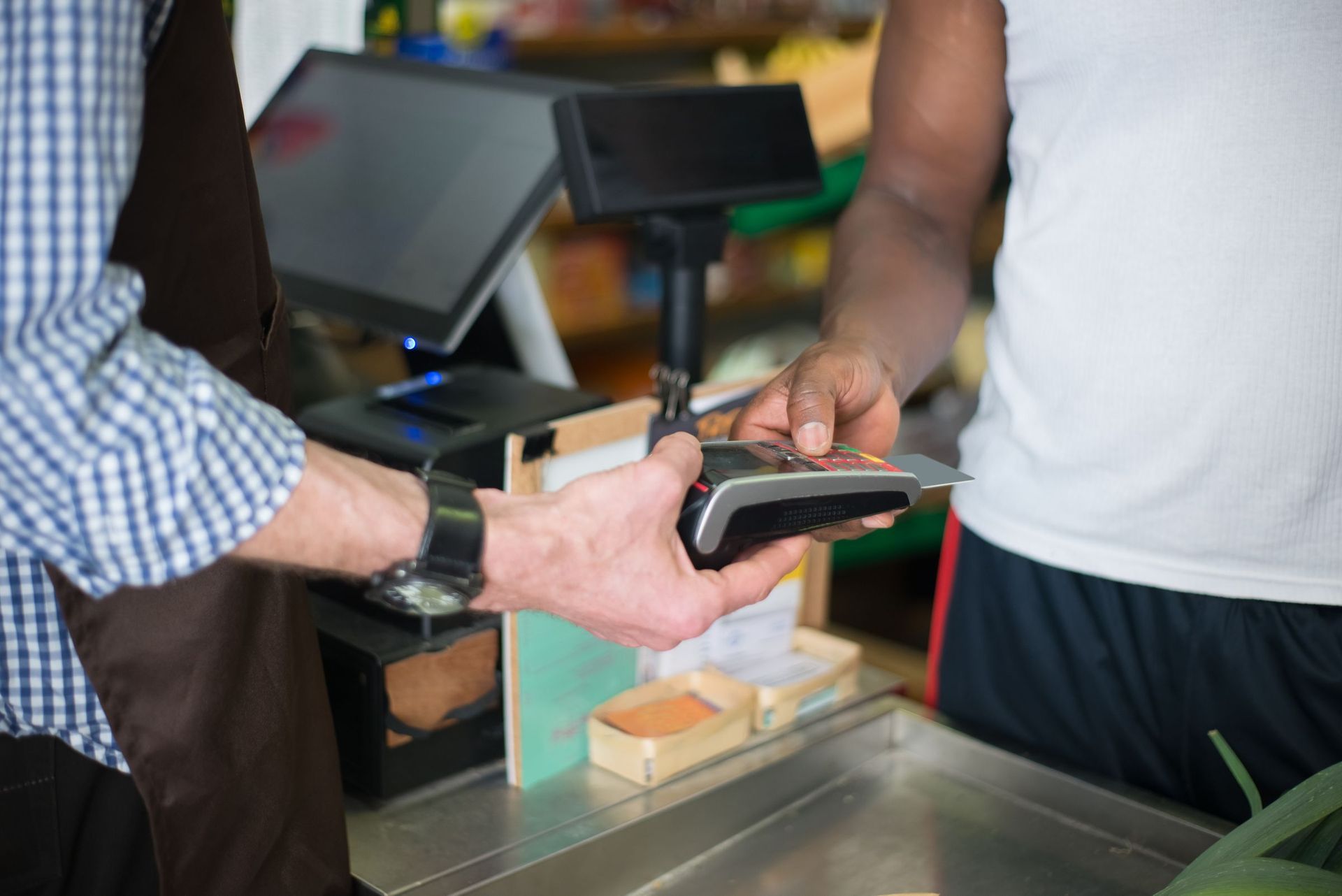
Split tender comes up constantly in a c-store. A customer pays part in cash and puts the rest on a card. Your POS should handle that in one transaction, not as two separate sales. Contactless payments and mobile wallets matter too, since a tap is faster than a dip, and faster still than fumbling for a card at 7 a.m.
Cash handling needs structure. You want to open and close a cash drawer per shift, with a counted starting bank and a counted close, so discrepancies surface at shift change rather than at the end of the month.
When the Internet Drops
Ask any POS vendor a simple question: what still works when the internet goes down? Exatouch supports offline processing, meaning transactions queue on the device and process once connectivity returns. That is the kind of capability you never think about until the line is six deep and the router light is blinking red. Get the answer, including how long transactions can queue, before you commit.
A Catalog of Thousands of Small SKUs (and the Delivery Truck)
Your shelves hold a surprising number of individual items for the square footage, and the mix changes constantly. New flavors show up, packaging changes, vendors run promotions. Your POS needs to handle a large catalog with real-time inventory tracking, and it needs to make receiving easy, because direct store delivery vendors arrive mid-shift, not on a tidy schedule.
The right workflow is receiving by scan against a purchase order. The driver arrives, your cashier opens the PO on the register, scans what comes off the truck, and the system flags shorts and price discrepancies immediately. Without that, you find out about problems when you count the drawer and the shelf, weeks later.
Low-stock alerts on your fast movers keep the coffee cups and the top-selling energy drinks from running out on a Saturday. Best-seller reporting tells you what deserves more shelf space and what deserves less. Neither is glamorous, but both protect the margin on the items that actually turn.
Price changes deserve specific attention, because the mismatch from this morning is a common failure. Confirm exactly how a price change reaches every register in the store, and whether the system can print or flag the shelf tags so the shelf and the register stay in agreement.
If you sell weighed items, such as bulk foods or deli items by the pound, scale integration matters. Exatouch lists scale integration for grocery, market, and convenience environments, so weighed items ring correctly without manual math. If beer, wine, or spirits are a big part of your mix, case and pack inventory and the alcohol side of ID checks get their own treatment in the
liquor store POS guide.
Tobacco and Vape Age Verification the Register Enforces
Federal law is clear on the basics. Under Tobacco 21, it is unlawful to sell tobacco products, including e-cigarettes, to anyone under 21, and retailers must check photo ID for anyone under 30. The FDA covers the details on its
Tobacco 21 page. State and local rules may add requirements on top of the federal ones, so confirm what applies in your area.
The reason this belongs in a POS conversation is that the register can enforce what a busy cashier might miss. Age verification prompts should be tied to product categories, so the moment a tobacco or vape SKU scans, the register prompts the cashier to verify age before the sale can continue. Ask what happens if a cashier tries to skip the prompt: does the sale stop, or does the system quietly let it through?
Cashier memory is not a compliance system. Counter staff turn over, new hires are trained fast, and the register is the one piece of the operation that never forgets the rules.
Scan Data Reporting for Tobacco and Lottery
Some manufacturer programs ask retailers for scan-level data on tobacco sales, and state lotteries have their own reporting expectations. Exatouch lists scan data reporting for tobacco and lottery as a built-in capability. That is a reporting feature, not a guarantee that any specific program accepts it, so confirm what your manufacturer programs and state lottery actually require before you rely on it.
Employees, Permissions, and Loss Prevention
Your counter combines high turnover, small high-value items, and a cash-heavy drawer. That combination makes permissions and tracking a real loss prevention tool, not an administrative nicety.
Role-based permissions let you decide who can void a sale, who can issue a refund, who can apply a discount, and who can open the drawer without a sale. Sales-by-employee reporting shows you patterns over time. A time clock and scheduling live in the same system. Refund tracking surfaces the cashier whose refunds look different from everyone else's.
Whatever system you choose, make sure the day-one experience is simple enough that a new hire can run the register on their first shift, because in this business, they probably will.
Payments: Processor Choice, Pricing, and Fee Recovery
Can You Choose Your Processor?
Not always. Some POS systems route payments through a single provider: Clover processes through Fiserv, and Square requires you to use Square payments. Korona is processor-agnostic, which means you can choose your own processor rather than being routed through one. Monument's retail POS FAQ puts it plainly: keeping your current processor when you switch POS systems is possible in some cases, and it depends on the POS system and your current processor.
When you compare quotes, know which pricing model you are looking at. The main options are interchange-plus, where you pay the card networks' cost plus a markup; flat-rate, where one blended rate applies regardless of card type; and tiered, where transactions sort into priced buckets. The model matters as much as the number.
Traditional Pricing or Fee Recovery
Monument's Traditional Processing uses custom pricing with a $25 flat monthly subscription. Monument does not publish a single universal rate, because volume, average ticket, and card mix change what fits.
Fee recovery is where c-stores often look next. According to Monument's payment programs page, dual pricing is common in fuel, convenience, and specialty retail. With dual pricing, also run as a
cash discount program, the customer sees the card price before paying, and Monument prices it as a flat monthly subscription with unlimited processing: $25 per month up to $5,000 in monthly volume, $50 for $5,000 to $10,000, and $75 above $10,000. Surcharging instead adds a separately disclosed fee to credit transactions only. Rules for both are state-specific, so neither is something to switch on without a review. Monument confirms compliance before implementing either one, and the
payment programs page lays out all three options side by side.
For the payment hardware itself, Monument's
in-person payments page covers countertop terminals (including Dejavoo), PIN pads, and contactless readers, and lists PCI compliance guidance and next-day funding among what is included. Confirm funding timing for your own setup rather than assuming it.
Exatouch vs Korona for a Convenience Store
Of the systems Monument deploys, these two are the ones its site lists for convenience stores, and they lean in different directions.
Exatouch is Monument's listed system for grocery, markets, and convenience. It brings barcode-driven checkout, scale integration, and high-volume workflows, plus the c-store specifics already covered: age verification for tobacco, scan data reporting, high-SKU inventory management, and support for dual pricing and surcharging. The full bundle arrives pre-configured with a touchscreen terminal, thermal receipt printer, PAX EMV payment terminal, cash drawer, a 10-inch customer-facing display, a barcode scanner with stand, router and cabling, and there is a tablet configuration for a second station. It also handles loyalty and gift cards through eGiftSolutions, multi-location management from a cloud dashboard, and QuickBooks data export. The honest limits: Exatouch may not be ideal if you need deep third-party integrations beyond its ecosystem, and it can be more than a very small single-operator shop needs, where something lighter like Square may be more practical.
Korona is cloud-based and processor-agnostic, works with most standard POS hardware so you may be able to reuse equipment you already own, and syncs multiple locations from a single dashboard. It includes age verification, low-stock alerts, purchase orders, and loyalty programs, and the
Korona POS page notes that no long-term contract is required.
The shorthand: if you want c-store workflow features built in, Exatouch leans your way. If processor flexibility and reusing hardware matter more, Korona leans your way. For a wider view of POS brands and how Monument matches them to situations, see the
POS recommendations overview.
If You Sell Fuel, Pump Processing Is a Separate Conversation
Pay-at-the-pump processing and fleet cards like WEX, Voyager, and Comdata sit outside the in-store POS decision. On the fuel side, Monument does not sell pump payment terminals. It works as a consulting partner: it evaluates your existing pump infrastructure and processing arrangement, then coordinates the vendors involved, from the pump technician to the fuel distributor and the processor. The
pay-at-the-pump page covers EMV and contactless acceptance at the pump and how those projects run.
One caution: do not assume your in-store POS connects to your pumps. Confirm any POS-to-pump connection directly with your equipment vendor and your POS vendor before you buy anything.
Switching Without Shutting the Counter Down
You cannot close for a week to install a new system, and you should not have to. Monument's deployment process starts with a consultation covering your registers, SKUs, locations, and current system, followed by an evaluation of your product mix, volume, staff, age verification needs, and payment program preferences. Then comes hardware ordering, software configuration, inventory import, and barcode setup. Installation is on-site for businesses in Monument's service area, with training in person locally or remote otherwise. Retail POS deployments typically take one to two weeks from consultation to go-live.
The key to a smooth switch is pre-configuration. Monument sets up the account, imports the inventory, configures employees and permissions, and establishes the payment program before the hardware ever arrives. That means go-live day is about cutting over, not building from scratch.
Your job during that window is verification. Test barcodes across every department before the first real customer, so your worst labels fail in testing instead of at 7 a.m. Train for turnover: make sure at least two people per shift can run the counter, not one.
After go-live, you call Monument for troubleshooting and configuration changes rather than starting over with a vendor support line.
C-Store POS Requirements to Confirm in a Demo
When you book a demo, bring your toughest items: a crumpled wrapper, a weighed item, a tobacco SKU, a price that changed last week. Watch what happens instead of listening to the pitch. Each row below is something you can see pass or fail in the room.
| Requirement | Why it matters behind a c-store counter | What to confirm |
|---|---|---|
| Barcode speed and quick keys | Hundreds of small tickets a day; many items have no barcode | Your worst barcode scans on the first pass; coffee, fountain, and hot food ring in one tap |
| Large catalog and receiving | Thousands of SKUs with constant churn and mid-shift DSD deliveries | A delivery can be scanned in against a purchase order, with shorts and price errors flagged |
| Scale items | Weighed goods need correct pricing without manual math | A weighed item rings at the right price straight from the scale |
| Tobacco and vape age prompts | Federal rules require a photo ID check for buyers under 30; cashier memory is not a system | Scanning a tobacco SKU triggers the age prompt, and skipping it stops the sale |
| Scan data reporting | Some manufacturer programs ask for scan-level data | The vendor shows the actual scan data report; your programs confirm it meets their requirements |
| Employee permissions and shift cash | High turnover plus a cash-heavy drawer invites shrink | A cashier login cannot void, refund, or open the drawer without a manager; shift close counts the drawer |
| Offline processing | The internet drops at the worst possible moment | With the network unplugged, a card sale still goes through and queues until the connection returns |
| Processor choice | Some systems lock you into one payment provider | You get a written answer on whether you can keep or choose your processor |
| Fuel sales (processing only) | Pay-at-the-pump is separate from the in-store POS | Your equipment and POS vendors confirm in writing whether the POS connects to the pumps |
Questions to Ask Before You Sign
A short list of questions protects you more than any feature checklist:
- Which pricing model is this quote, and what is the monthly fee?
- Is hardware or software bundled with processing in any way?
- Who do I call for support after go-live, and is on-site help available?
- What are the contract terms? Ask, and do not assume.
- How is dual pricing configured if I want to add it later?
- What training is included, and is it repeated for new hires?
Get a Setup Built for Your Counter
In the end, a convenience store POS system has to earn its keep on speed, handle a catalog that changes weekly, enforce age restrictions at the register, and leave your payment options open. The right choice depends on your store: your volume, your product mix, whether you sell fuel, and which pricing program fits your customers. Monument is based in Grand Junction, works with stores across the Western Slope, and installs on-site within its service area, matching the system to the store rather than the other way around. If you are weighing a new system, start with a
free consultation or call (970) 239-1307.
Recent Posts