SYSTEMS
Clover® POS, Configured and Deployed by Monument
Clover is one of the most recognized POS platforms in the market. Monument configures, deploys, and supports Clover systems for businesses that need a versatile, scalable point of sale. If Clover is not the right fit, we will tell you.

ETA Certified Payment Professional
Serving Businesses Since 2014
500+ Merchants Served
PCI DSS Compliant
WHY CLOVER
Why Monument Deploys Clover
Clover has earned its reputation for a reason. The hardware is well-designed, the software is capable, and the app ecosystem gives businesses access to over 500 integrations through the Clover App Market.
But Clover is not a plug-and-play product. The platform offers multiple hardware options, dozens of software configurations, and hundreds of apps. Without guidance, businesses often end up with the wrong hardware, unnecessary software features, or missed capabilities.
Monument deploys Clover because it is a strong, versatile platform that works well across multiple business types. But we do not recommend Clover for every business. During the evaluation, if a different system is a better fit for your operation, we will tell you.
Clover® Is a Strong Fit For:
- Retail stores needing checkout, inventory, and app extensibility
- Full-service restaurants needing table management and kitchen display
- Quick-service restaurants needing speed and counter-service workflow
- Service businesses needing scheduling, invoicing, and customer management
- Multi-location operations needing centralized reporting
May Not Be Ideal For:
- High-volume bars where speed is the absolute top priority (Union POS is built for that)
- Niche retail categories like vape or smoke shops (Lifelong POS is purpose-built)
- Businesses needing advanced inventory without contracts (Korona POS excels there)
HARDWARE
Clover Hardware Lineup
Monument helps you select the right combination based on your operation, not the most expensive one.
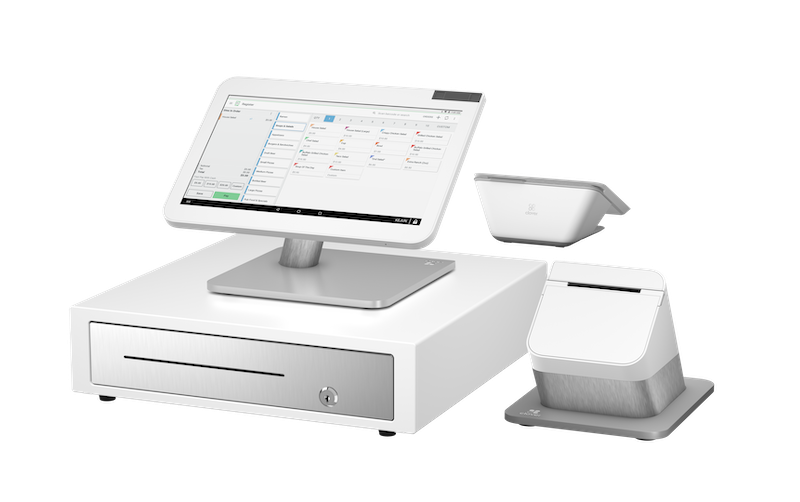
Clover Station Duo
The flagship countertop system with merchant-facing and customer-facing screens. Built-in receipt printer. Connects to cash drawers, barcode scanners, and kitchen printers.
Primary register for retail and restaurants
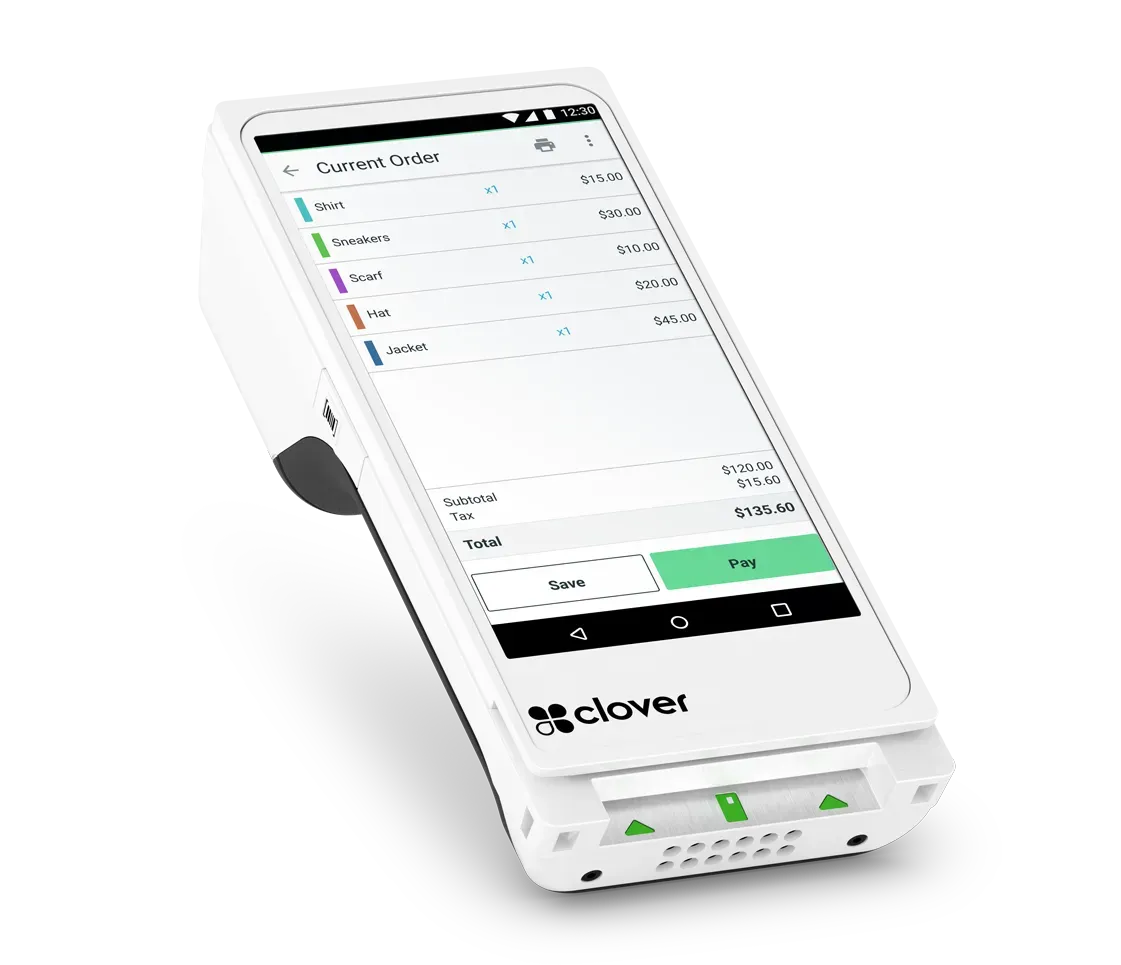
Clover Flex
Handheld device for tableside ordering, line-busting, and mobile service. Built-in receipt printer, camera for barcode scanning, and full payment acceptance.
Tableside ordering, line-busting, mobile in-venue
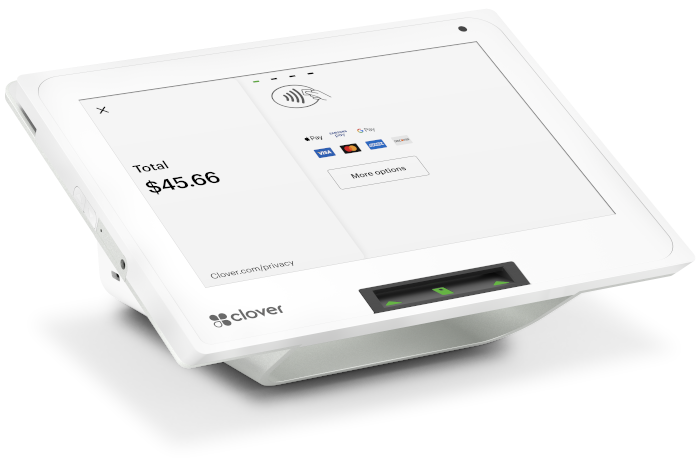
Clover Mini
Compact countertop terminal with a smaller footprint. Works as a secondary register, customer-facing device, or primary terminal for limited counter space.
Secondary register, compact spaces
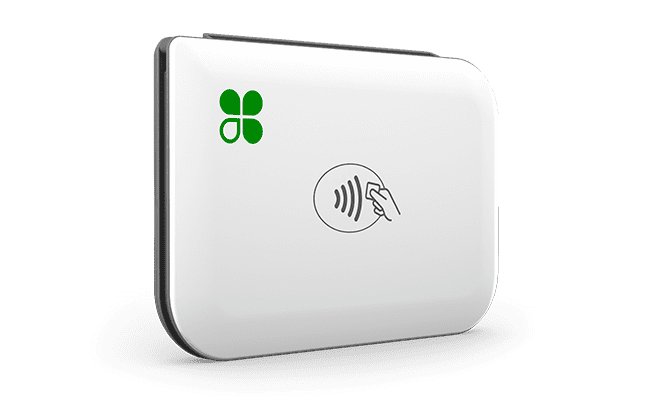
Clover Go
Mobile card reader that connects to a smartphone via Bluetooth. Accepts chip and contactless payments for mobile businesses.
Mobile payments, pop-ups, events
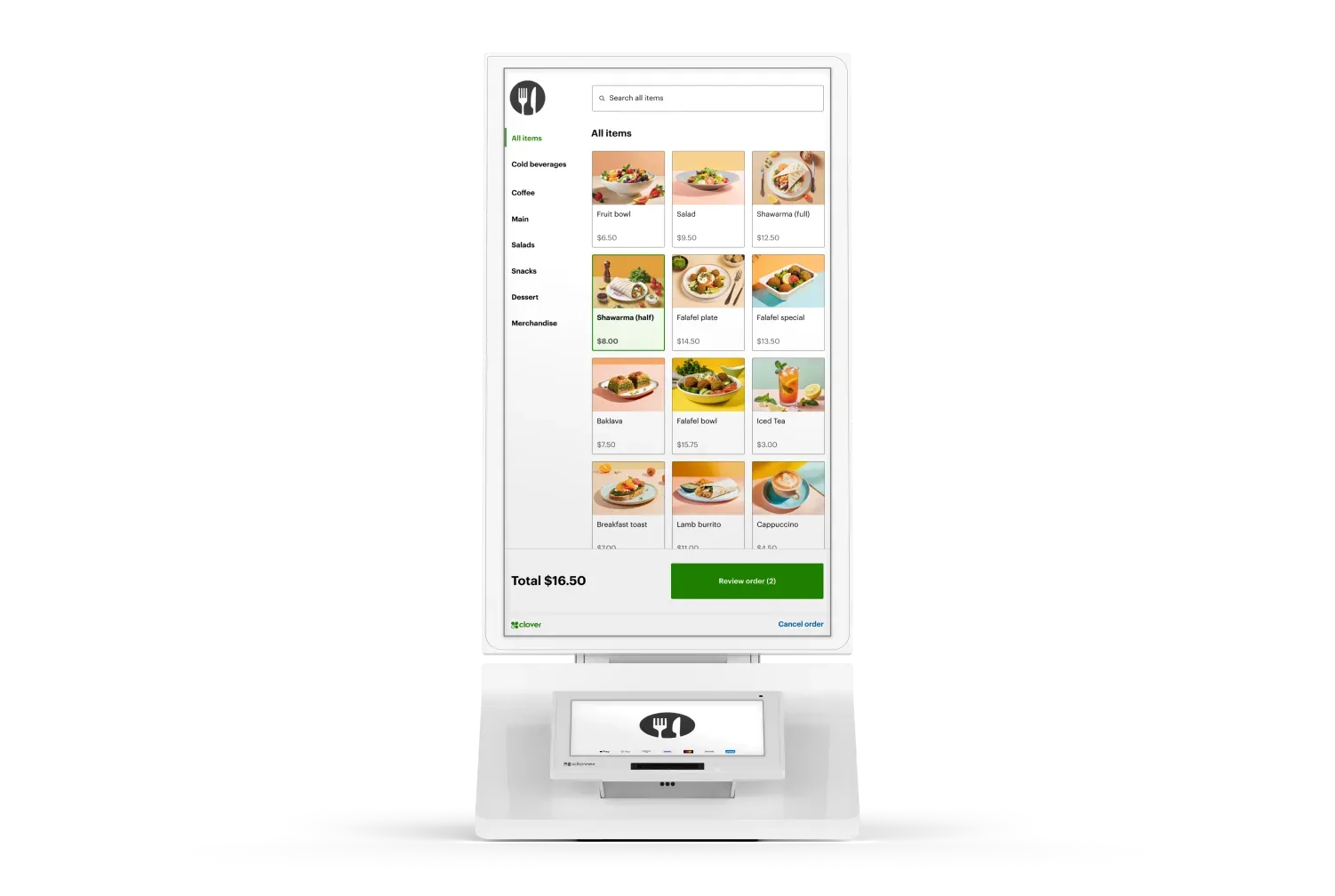
Clover Kiosk
Self-service ordering and payment station. Customers browse, order, and pay without staff assistance. Reduces wait times.
Self-service QSR, cafes, retail
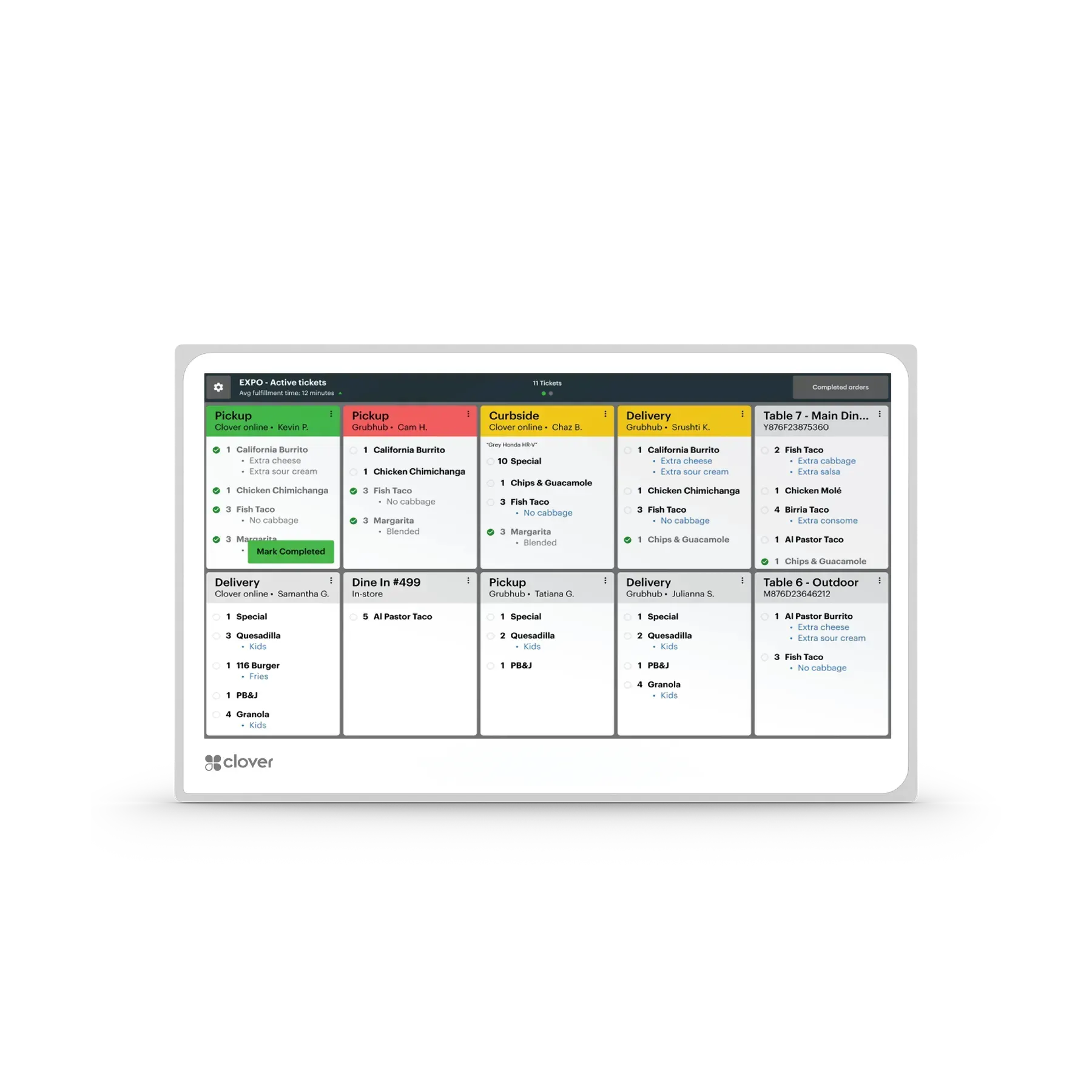
Clover Kitchen Display System
Kitchen-mounted display that receives orders directly from the POS. Replaces paper tickets with real-time order queue visibility.
Restaurant kitchens, order routing
CAPABILITIES
What Clover Does
Payment Processing
All major credit/debit cards, contactless (Apple Pay, Google Pay), chip, and swipe.
Inventory Management
Track by category, variant, and SKU. Low-stock alerts and purchase orders. Multi-location sync.
Employee Management
Role-based permissions, time clock, and sales tracking by employee.
Reporting & Analytics
Sales by time, product, category, and employee. Revenue trends and refund tracking.
Online Ordering
Branded ordering page for pickup or delivery. Orders flow into the same POS.
Gift Cards & Loyalty
Digital and physical gift cards plus loyalty programs for repeat customers.
App Market (500+ Apps)
Accounting, reporting, marketing, reservations, delivery, and more.
HOW IT WORKS
How Monument Deploys Clover
01
Consultation
We start with your business, not with Clover. We learn about your operation, your current setup, and what you need. If Clover is the right fit, we proceed. If a different system would serve you better, we say so.
02
Configuration
We determine the right Clover hardware, software plan, and app selections. We configure the system before it arrives, including menu programming, inventory import, employee setup, and receipt formatting.
03
Installation
For businesses in our service area, Monument installs on-site. We position hardware, connect peripherals, and test everything before go-live.
04
Training
Hands-on staff training covering checkout, inventory, reporting, and role-specific functions. Tailored to your team's experience level.
05
Go-Live & Support
We are available during your first days on Clover. After deployment, Monument continues with troubleshooting, app recommendations, rate reviews, and optimization.
WHY MONUMENT PAYMENTS
Monument vs. Buying Clover Direct
See what you get when you work with Monument instead of purchasing Clover directly from a reseller.
| Feature | Buying Direct | Monument Payments |
|---|---|---|
| Honest system evaluation | x | ✓ |
| Custom hardware selection for your workflow | x | ✓ |
| Pre-configured before delivery | x | ✓ |
| On-site installation available | x | ✓ |
| Staff training included | x | ✓ |
| App Market guidance (what to add, what to skip) | x | ✓ |
| Ongoing technical support | x | ✓ |
| Annual rate reviews and optimization | x | ✓ |
PRICING
What to Expect
Pricing for a retail POS depends on the system, hardware configuration, and processing setup. Here is how it typically breaks down.
Hardware
Clover hardware can be purchased outright or financed monthly. Monument helps you select only the hardware you actually need.
Software
Monthly software plans vary by tier. Monument recommends the plan level that matches your actual needs, not the most expensive option.
Processing
Processing rates depend on your volume and card mix. Monument provides a clear rate breakdown and reviews rates annually to keep costs competitive.
Experts in Every Industry
Monument's team has owned and operated businesses across the industries we serve. We understand what you need because we have been there ourselves.
Not Sure If Clover Is Right for You?
That is exactly what the consultation is for. Monument evaluates your business before recommending any system. If Clover is not the right fit, we will tell you what is.
COMMON QUESTIONS
Common Questions About Clover
Questions about how Monument works, how Clover might work with your business, and what to expect from the process.
Still have questions?
Monument is happy to walk through your specific situation on a call.
What Clover hardware do I need?
It depends on your business type and operation. A retail store with one register typically needs a Station Duo, a barcode scanner, and a cash drawer. A restaurant might need a Station Duo at the host stand, two Flex handhelds for servers, and a Kitchen Display System. Monument evaluates your operation and recommends the right combination.
How much does Clover cost?
Clover hardware can be purchased outright or financed monthly. Software plans range from basic to advanced, with monthly fees that vary by plan tier. Processing rates depend on your volume and card mix. Monument provides a complete cost breakdown during the evaluation so you know exactly what to expect before committing.
Can I use Clover with my current payment processor?
Clover processes through Fiserv. If you are currently with a different processor, switching to Clover means switching your processing as well. Monument handles the transition, including rate evaluation to ensure the new processing setup is competitive.
What apps should I add to Clover?
It depends on your needs. Monument reviews the Clover App Market and recommends apps that add genuine value for your operation. Common recommendations include advanced reporting, accounting integration (QuickBooks, Xero), and marketing tools. We also tell you which apps are unnecessary to avoid paying for features you will not use.
How long does Clover setup take?
Most Clover deployments take one to two weeks from consultation to go-live. The timeline depends on menu complexity, inventory size, and the number of hardware devices. Monument handles configuration and installation so your team can focus on running the business.
What if I already have Clover and need help?
Monument can evaluate your existing Clover setup, optimize your configuration, recommend apps, review your processing rates, and provide ongoing support. You do not have to start from scratch to benefit from Monument's expertise.
Can Monument help me switch from another POS to Clover?
Yes. Monument handles the full migration, including menu and inventory transfer, hardware deployment, staff training, and go-live support. We manage the transition so there is minimal disruption to your business.
What is the difference between buying Clover from Monument vs. buying direct?
When you buy Clover direct or from a generic reseller, you get the hardware and software but you are on your own for configuration, optimization, and ongoing support. When you work with Monument, you get an evaluation of whether Clover is actually the right system for your business, professional configuration and installation, staff training, and a long-term support relationship.
How does Clover handle online ordering?
Clover includes a built-in online ordering system. Customers can place orders through your branded ordering page for pickup or delivery. Orders appear in the same POS system as in-person orders, so your team manages everything from one place.
What reporting does Clover provide?
Clover provides sales reports by time period, product, category, employee, and payment method. You can track revenue trends, refund rates, and employee performance. Reports are accessible from the Clover dashboard on any device.