SYSTEMS
The Right Square® Setup for Your Business
Monument evaluates how your business operates, selects the right Square device from the full hardware lineup, and configures it correctly from day one. As an official Square reseller, Monument provides local support that Square's general channels cannot.

ETA Certified Payment Professional
Serving Businesses Since 2014
500+ Merchants Served
PCI DSS Compliant
MONUMENT'S APPROACH
Any Business Can Buy Square. Not Every Business Deploys It Right.
Square has earned its reputation for a reason. The hardware is well-designed, the software covers retail, restaurant, and service businesses out of the box, and the ecosystem is consistent across every device in the lineup.
But Square is not the right fit for every business. The platform offers seven distinct hardware options, multiple software tiers, and a range of integration possibilities. Without guidance, businesses often end up with the wrong device, an underconfigured account, or a pricing structure that costs more than it should.
Monument became an official Square reseller because Square fills a specific and well-defined gap in the portfolio. Before recommending Square, Monument evaluates transaction volume, average ticket size, staff size, integration requirements, reporting needs, and long-term growth plans. When those inputs point to Square, Monument deploys it. When they point elsewhere, Monument says so.
Square Is a Strong Fit For
- Retail stores opening their first POS or replacing a fragmented setup
- Quick-service restaurants and cafes that want a clean, integrated ecosystem
- Salons and service businesses needing scheduling, invoicing, and payments in one place
- Multi-device environments where hardware consistency across locations matters
- Businesses that want a polished setup without enterprise-level complexity
May Not Be Ideal For:
- High-volume full-service restaurants needing advanced table management (Clover or Union POS may be a stronger fit)
- Niche retail categories with specialized inventory requirements (Korona POS is purpose-built for those)
- Businesses needing deep third-party integrations beyond Square's ecosystem
HARDWARE
Choosing the Right Square Device
The Square lineup covers seven distinct devices. Monument evaluates your environment, transaction volume, and workflow before recommending which device or combination fits your operation. Not every business needs the Register. Not every business should start with a Reader.
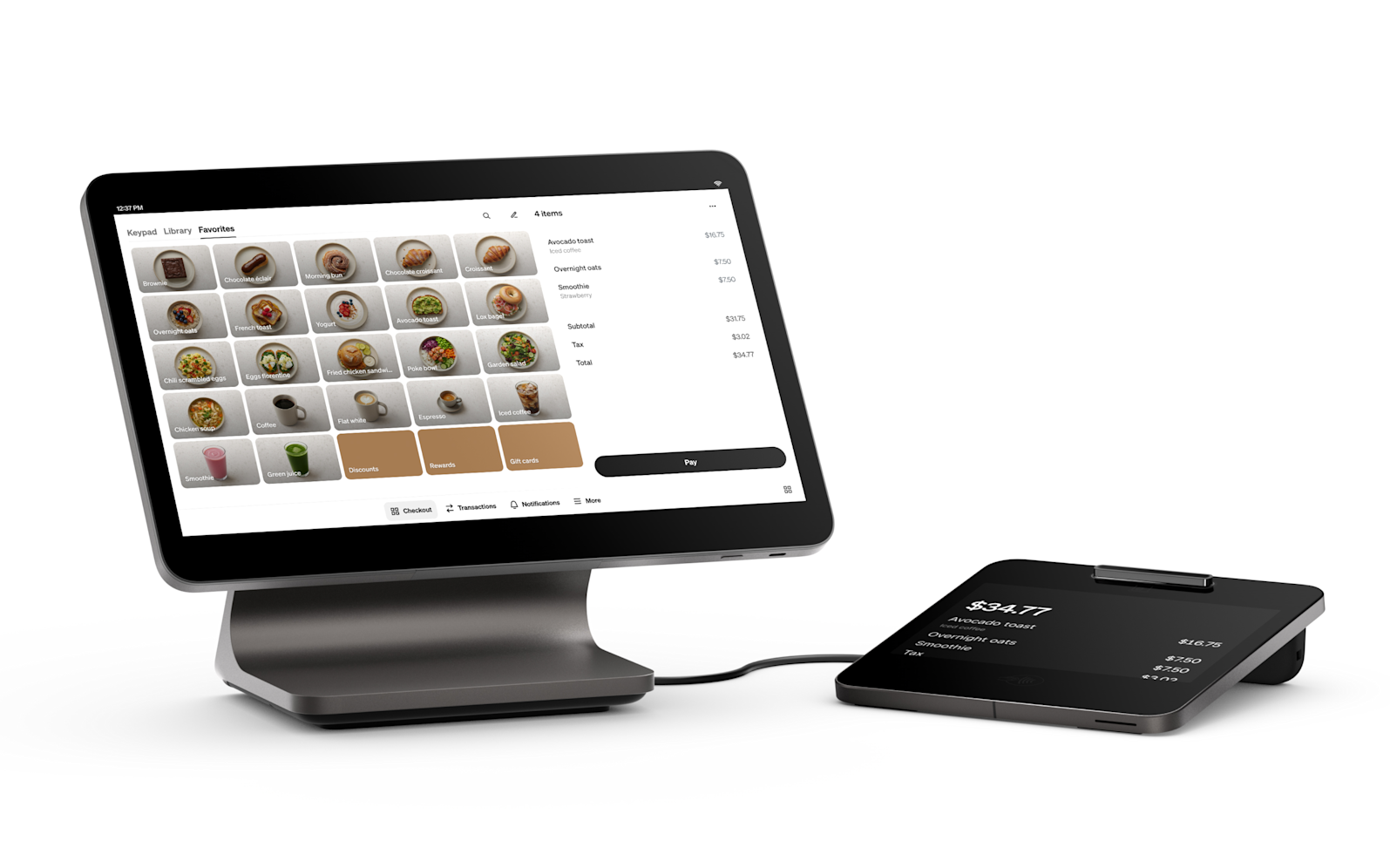
Square Register (2nd Gen)
Monument recommends the Register for high-volume countertop environments where a dedicated dual-screen setup improves the customer checkout experience. Full-service retail counters, busy cafe bars, and quick-service restaurants with consistent foot traffic are the primary fit.
High-volume countertop operations
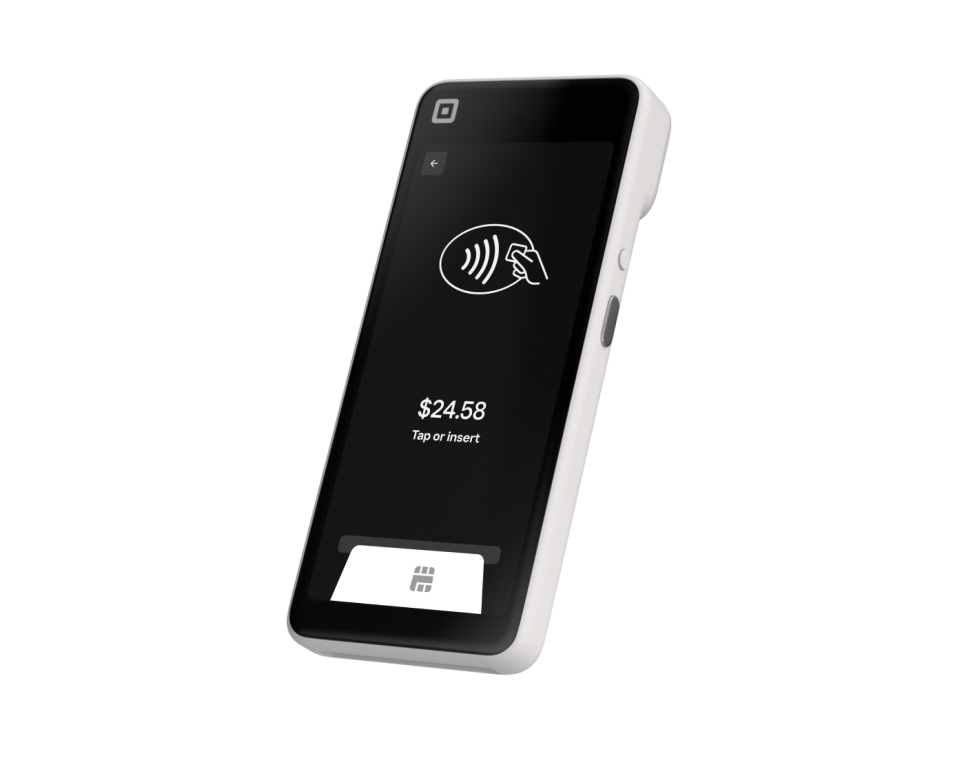
Square Handheld
Monument deploys the Handheld for operations that need staff to move. Tableside ordering in restaurants, line-busting during peak hours, and mobile staff in large retail environments are the scenarios where the Handheld earns its place.
Tableside ordering, line-busting, mobile in-venue
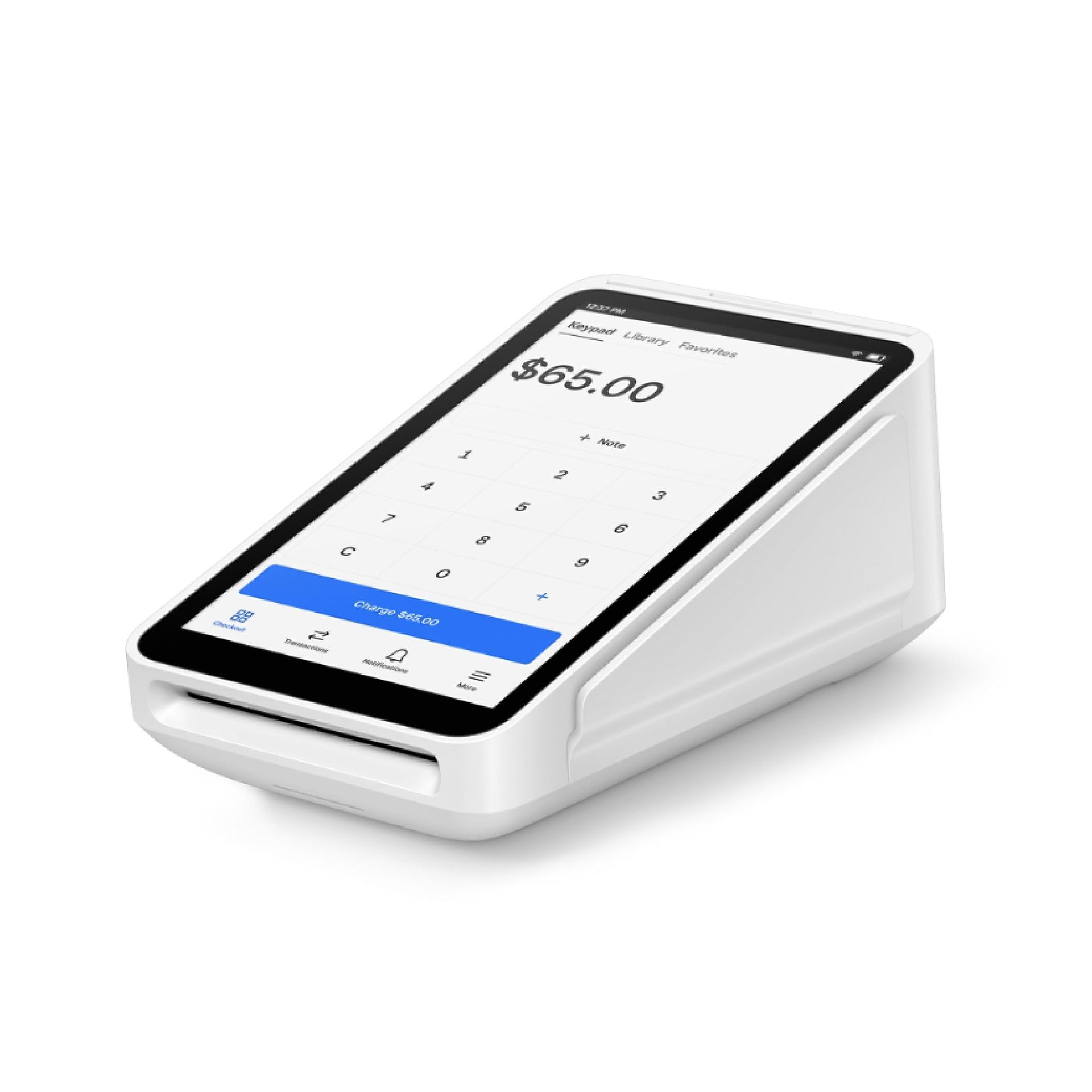
Square Terminal
The Terminal is the device Monument recommends most often. It is a self-contained all-in-one with a built-in receipt printer and a battery that lasts a full shift. It works on a counter, at a service desk, or anywhere a business needs a complete payment solution without a full POS setup.
Most businesses, versatile all-in-one
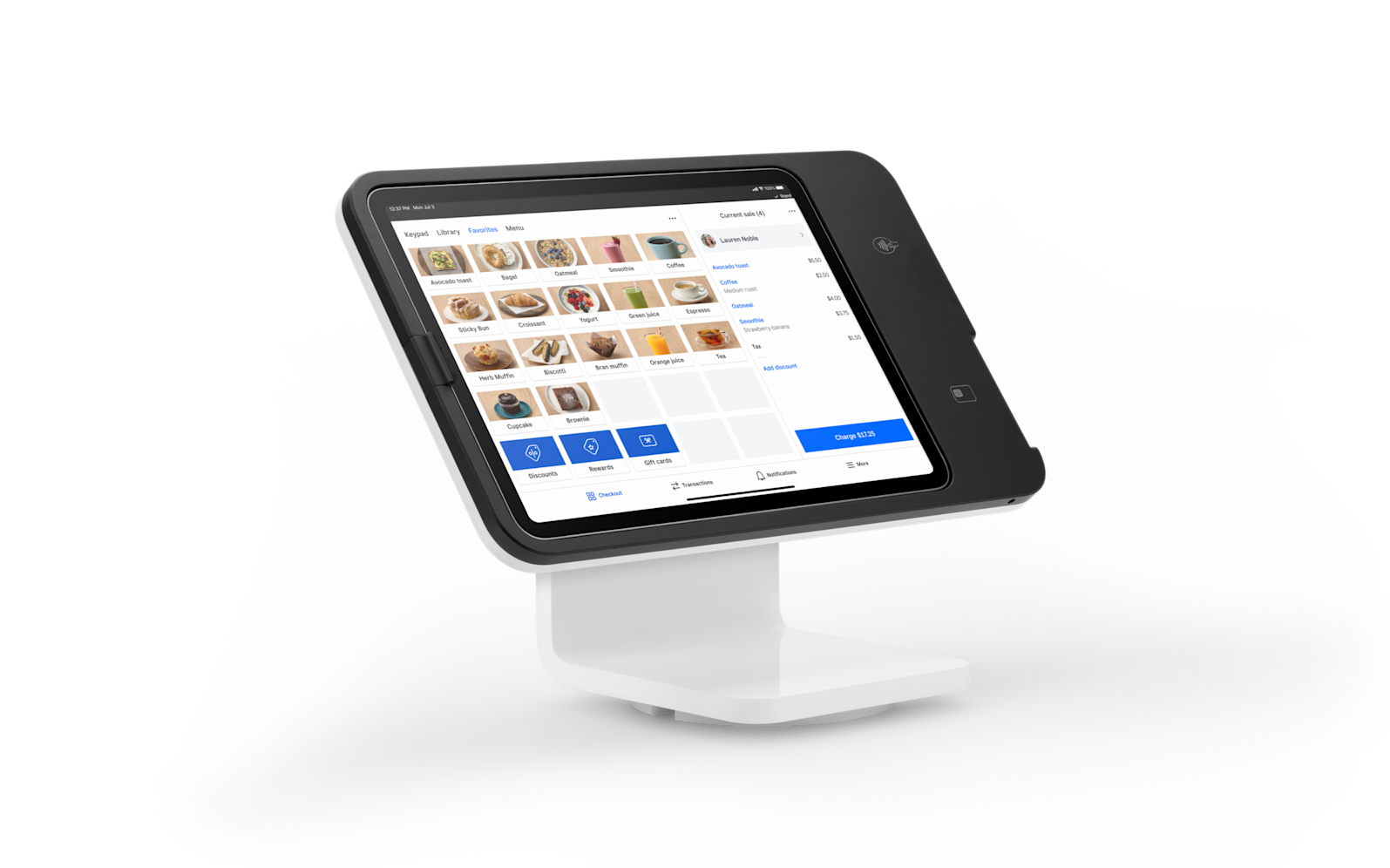
Square Stand
Monument deploys the Stand for businesses that already have compatible iPads and want a clean, minimal countertop setup. It is a practical choice for salons, service businesses, and retail environments where the iPad's screen size is an advantage.
Salons, service businesses, iPad users
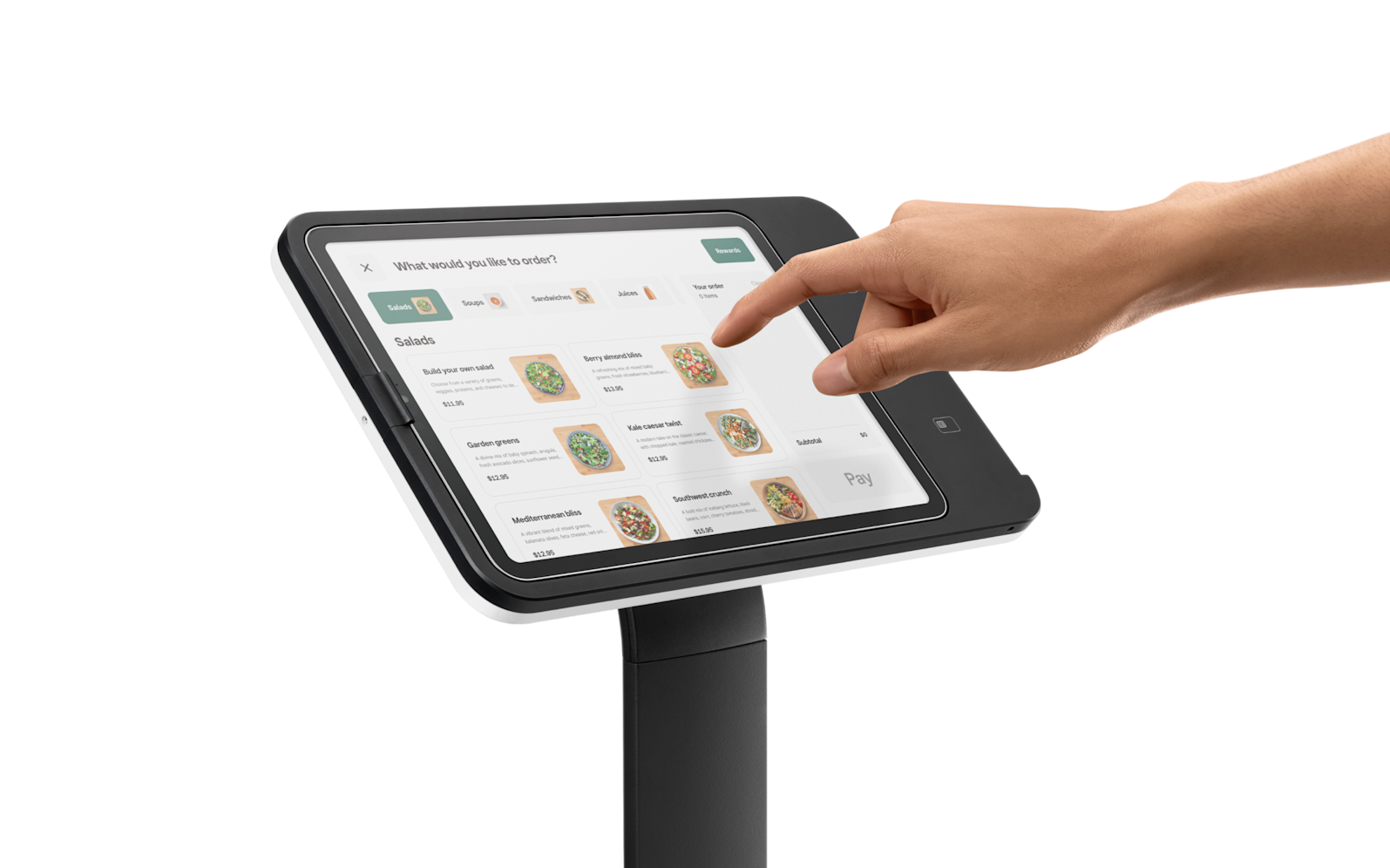
Square Kiosk
Monument configures the Kiosk for self-service ordering environments. Quick-service restaurants and high-traffic retail operations that want to reduce counter staffing or handle overflow ordering are the primary use cases.
Self-service QSR, cafes, retail
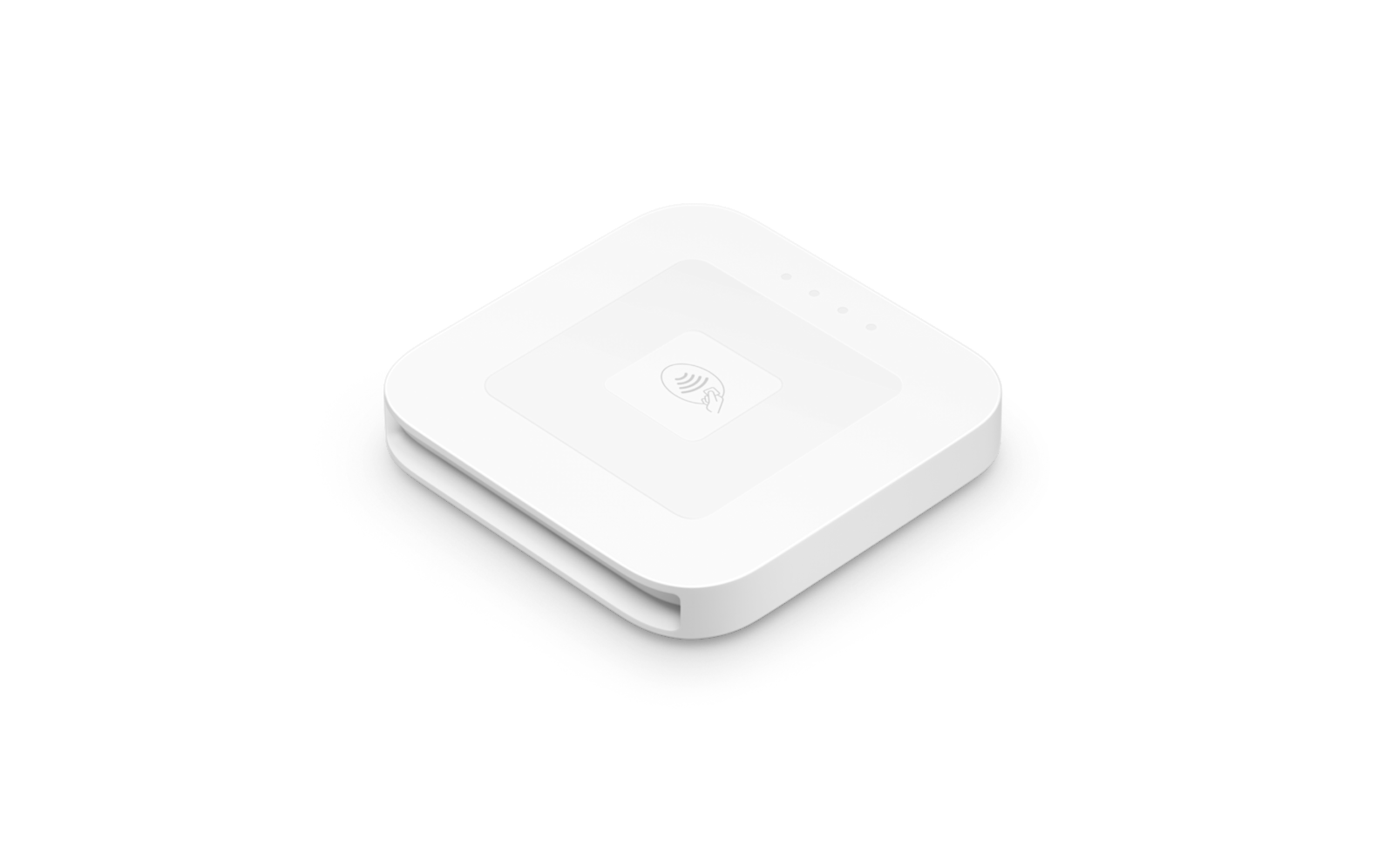
Square Reader (Contactless + Chip)
Monument deploys the contactless reader as a secondary acceptance point or for mobile businesses that do not need a full terminal. It pairs with iOS or Android and handles tap, dip, and swipe.
Restaurant kitchens, order routing
What Square Brings to the Table
Square's Capabilities, Deployed by Monument
Payment Processing
Tap, dip, swipe, Apple Pay, Google Pay, and contactless across all hardware. Flat-rate pricing with optional program alternatives.
Inventory Management
Track by item, category, and variant. Low-stock alerts and purchase orders available on higher-tier plans.
Team Management
Role-based permissions, time clock, and sales tracking by team member. Shift scheduling on advanced plans.
Reporting & Analytics
Sales by time, item, category, and employee. Revenue trends and refund tracking accessible from any device.
Online Ordering
Built-in online ordering page for pickup or delivery. Orders flow into the same POS as in-person transactions.
Multi-Device Consistency
Consistent hardware and software ecosystem across multiple devices and locations. Centralized dashboard management.
HOW IT WORKS
How Monument Deploys Square
01
Needs Assessment
Monument starts with your business, not with Square. We evaluate your environment, transaction volume, staff workflow, integration requirements, and growth plans. If Square is the right fit, we proceed. If a different system would serve you better, we say so.
02
Device Selection
Based on the assessment, Monument recommends the specific Square device or combination of devices that matches your operation. Not every business needs the Register. Not every business should start with a Reader.
03
Configuration
Monument configures the Square account, software settings, inventory or menu items, employee profiles, receipt formatting, and any integrations before the hardware arrives. The system is ready to use on day one.
04 Installation & Training
For businesses in our service area, Monument installs on-site. Hands-on staff training covers checkout, inventory, reporting, and role-specific functions. Tailored to your team's experience level.
05
Go-Live & Ongoing Support
Monument is available during your first days on Square. After deployment, Monument continues with troubleshooting, configuration updates, rate reviews, and periodic optimization. You are not calling Square's support line. You are calling Monument.
WHY MONUMENT PAYMENTS
Monument vs. Buying Square Direct
Monument is an official Square reseller. The hardware and pricing are the same. The difference is what you get around it.
| Feature | Buying Direct | Monument Payments |
|---|---|---|
| Independent system evaluation (not just Square) | x | ✓ |
| Device selection matched to your workflow | x | ✓ |
| Pre-configured before delivery | x | ✓ |
| On-site installation available | x | ✓ |
| Staff training included | x | ✓ |
| Payment program optimization | x | ✓ |
| Ongoing technical support | x | ✓ |
| Annual rate reviews and optimization | x | ✓ |
| Single local point of contact | x | ✓ |
PRICING
What to Expect on Cost
Pricing for a retail POS depends on the system, hardware configuration, and processing setup. Here is how it typically breaks down.
Hardware
Square hardware can be purchased outright. Prices range from free (magstripe reader) to $899 (Register). Monument helps you select only the hardware your operation actually requires.
Software
Square offers free and paid software tiers. Monument recommends the plan level that matches your actual workflow, not the most feature-rich option available.
Processing
Square's flat-rate model is straightforward. Monument evaluates whether flat-rate is the right structure for your business or whether interchange-plus or a fee recovery program would reduce your costs.
Industry Experience
Monument's team has worked across the industries we serve. We understand what a retail counter, a restaurant floor, and a service desk actually need because we have configured them.
Not Sure If Square Is Right for You?
That is exactly what the consultation is for. Monument evaluates your business before recommending any system. If Square is not the right fit, we will tell you what is.
COMMON QUESTIONS
Common Questions About Squaare
Questions about how Monument works, how Square might work with your business, and what to expect from the process.
Still have questions?
Monument is happy to walk through your specific situation on a call.
Why work with Monument instead of buying Square directly?
When you purchase Square directly, you receive hardware and access to Square's general support channels. When you work with Monument, you receive a local consultant who conducts a needs assessment before any hardware is selected, configures the system for your specific workflow, trains your team, and remains available after launch. Monument is an official Square reseller, so the hardware and pricing are the same. The difference is everything that happens before and after the box arrives.
Which Square device is right for my business?
That is exactly what Monument evaluates before making a recommendation. The right device depends on your environment, transaction volume, staff workflow, and whether you need a countertop setup, a mobile solution, or a combination. Monument reviews those factors and recommends the specific device or devices that match your operation.
Can Square handle both retail and restaurant operations?
Yes. Square's built-in software includes configurations for retail, restaurant, quick-service, and service businesses. The hardware lineup supports all of these environments, and Monument configures the software to match your specific operation.
What processing rates does Square use?
Square uses a flat-rate processing model, which is straightforward and predictable. Monument evaluates whether flat-rate is the right pricing structure for your business by comparing it against interchange-plus pricing and fee recovery programs such as dual pricing or surcharging. For some businesses, flat-rate is the best fit. For others, a different structure produces meaningfully lower costs. Monument provides that analysis as part of every consultation.
How long does a Square deployment take?
A simple reader or Terminal setup can typically be completed within one to two business days. A full Register deployment or multi-device installation with inventory or menu configuration generally takes approximately one week. Monument manages the full process from account setup through go-live.
Does Square work offline?
Yes. Square supports offline payment mode for up to 24 hours without an internet connection. Transactions are uploaded automatically when connectivity is restored.
Can Monument deploy Square across multiple locations?
Yes. Monument configures and deploys Square for multi-location businesses and ensures consistent setup across all sites. Centralized reporting across locations is available through the Square Dashboard.
What if Square is not the right fit for my business?
Monument will tell you. The consultation begins with your business, not with Square. If a different system serves your operation better, Monument recommends it. The goal is the right fit, not a specific hardware sale.